JavaScript To-Do App (Free Source Code)
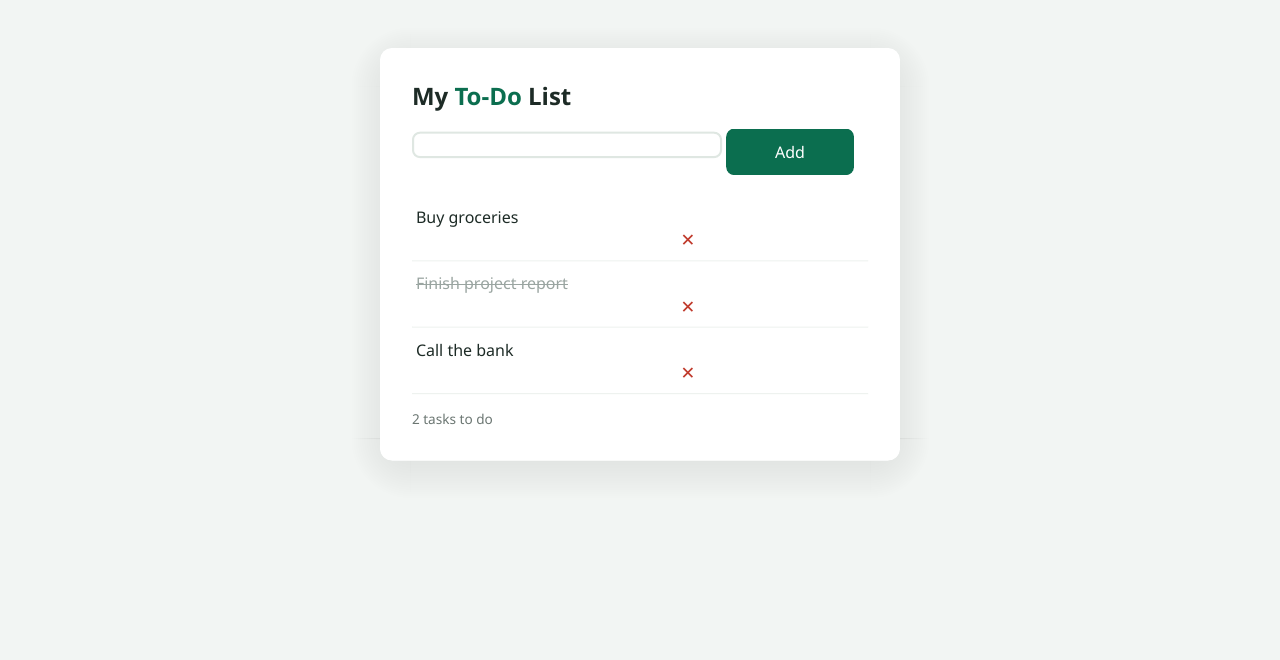
A to-do app is the classic first JavaScript project for a reason: it teaches you the fundamentals — reading input, updating the page, handling clicks, and storing data — in one small, useful app. This version goes a step further than most tutorials by saving your tasks to localStorage, so your list is still there when you close the tab and come back tomorrow.
The whole app is a single HTML file with embedded CSS and JavaScript. No frameworks, no build tools, no server. Copy it into a file, open it in your browser, and it works.
<!DOCTYPE html>
<html lang="en">
<head>
<meta charset="UTF-8">
<meta name="viewport" content="width=device-width, initial-scale=1.0">
<title>To-Do App</title>
<style>
  * { margin: 0; padding: 0; box-sizing: border-box; }
  body {
    font-family: Arial, sans-serif;
    background: #f3f4f6;
    display: flex; justify-content: center;
    padding: 3rem 1rem;
  }
  .app {
    background: #fff; width: 100%; max-width: 420px;
    border-radius: 12px; padding: 1.5rem;
    box-shadow: 0 4px 12px rgba(0,0,0,0.1);
  }
  h1 { text-align: center; margin-bottom: 1rem; color: #1f2937; }
  .input-row { display: flex; gap: 0.5rem; margin-bottom: 1rem; }
  #taskInput {
    flex: 1; padding: 0.6rem;
    border: 1px solid #d1d5db; border-radius: 8px;
  }
  #addBtn {
    padding: 0.6rem 1rem; background: #2563eb; color: #fff;
    border: none; border-radius: 8px; cursor: pointer;
  }
  #addBtn:hover { background: #1d4ed8; }
  ul { list-style: none; }
  li {
    display: flex; align-items: center; gap: 0.6rem;
    padding: 0.6rem; border-bottom: 1px solid #e5e7eb;
  }
  li.completed span { text-decoration: line-through; color: #9ca3af; }
  li span { flex: 1; cursor: pointer; }
  .delete-btn {
    background: #ef4444; color: #fff; border: none;
    border-radius: 6px; padding: 0.3rem 0.6rem; cursor: pointer;
  }
</style>
</head>
<body>
<div class="app">
  <h1>My To-Do List</h1>
  <div class="input-row">
    <input type="text" id="taskInput" placeholder="Add a new task...">
    <button id="addBtn">Add</button>
  </div>
  <ul id="taskList"></ul>
</div>
<script>
  const taskInput = document.getElementById('taskInput');
  const addBtn = document.getElementById('addBtn');
  const taskList = document.getElementById('taskList');

  // Load saved tasks, or start with an empty list
  let tasks = JSON.parse(localStorage.getItem('tasks')) || [];

  function saveTasks() {
    localStorage.setItem('tasks', JSON.stringify(tasks));
  }

  function renderTasks() {
    taskList.innerHTML = '';
    tasks.forEach((task, index) => {
      const li = document.createElement('li');
      if (task.done) li.classList.add('completed');

      const span = document.createElement('span');
      span.textContent = task.text;
      span.addEventListener('click', () => {
        tasks[index].done = !tasks[index].done;
        saveTasks(); renderTasks();
      });

      const del = document.createElement('button');
      del.textContent = 'Delete';
      del.className = 'delete-btn';
      del.addEventListener('click', () => {
        tasks.splice(index, 1);
        saveTasks(); renderTasks();
      });

      li.appendChild(span);
      li.appendChild(del);
      taskList.appendChild(li);
    });
  }

  addBtn.addEventListener('click', () => {
    const text = taskInput.value.trim();
    if (text) {
      tasks.push({ text: text, done: false });
      taskInput.value = '';
      saveTasks(); renderTasks();
    }
  });

  taskInput.addEventListener('keypress', (e) => {
    if (e.key === 'Enter') addBtn.click();
  });

  renderTasks();
</script>
</body>
</html>
How it works
- One array holds everything. All tasks live in the
tasksarray, where each task is an object like{ text: "Buy milk", done: false }. - Rendering from data.
renderTasks()rebuilds the visible list from the array every time something changes, so the screen always matches your data. - Click to complete. Clicking a task’s text flips its
doneflag, which adds thecompletedclass — the CSS then draws the strikethrough. - Delete removes by index. Each Delete button splices its task out of the array.
- localStorage persistence. After every change,
saveTasks()writes the array to the browser’s local storage; on page load it is read back, so nothing is lost between visits. - Enter key shortcut. Pressing Enter inside the input triggers the Add button, which makes the app feel snappy.
Download the file
Want the finished app as a single file?
Download the complete to-do app
Open it in any browser — your tasks will persist automatically.
Recap
This to-do app covers the JavaScript essentials — DOM updates, events, and localStorage — in one working file. Copy the code above or download it, then try extending it with features like task priorities or due dates.